
Zoom Student Resource Centre

Screenshot of a Zoom class.
At Champlain College we use Zoom Computer Conferencing to reach our students at a distance. Zoom provides the opportunity for students to interact live with their instructor and fellow students in a virtual online classroom.
- What is Zoom Computer Conferencing?
- What You Need To Get Started
- Participating in a Zoom Computer Conferencing Class
- Resources, Troubleshooting and Learning More…
What is Zoom Computer Conferencing?
Zoom is a communications platform that delivers online meetings, video conferencing and mobile collaboration. The software enables virtual synchronous meetings, through cloud based video and web conferencing. These virtual meetings can be used to host attendees (students) who are at a distance and locally at the same time.
What You Need To Get Started
This web page covers information on you what you need to get started as a Zoom participating attendee. Any questions and or concerns contact your instructors, who are here to support you.
- A computer, laptop, or mobile device with an internet connection
- A webcam, computer microphone (USB), headset/earphones (if using a laptop)
- A phone if you are unable to receive audio via your computer or laptop.
View: How to Join a ZOOM meeting (class) as a Participant
Discover the options for joining meetings based on your requirements and to ensure the best meeting experience possible.
Participating in a Zoom Computer Conferencing Class
Below are links, articles and more that can help you better understand Zoom Computer conferencing features
- How Do I Join A Meeting? (Video and Text Instructions) Review how to join an instant meeting through an email invite, an instant messaging invite, from the browser, from the Zoom desktop and mobile application, from a landline or mobile phone.
- What are my Attendee Controls in a Meeting? When you join a Zoom meeting hosted by another user (instructor or host), you are considered an attendee. This article covers:
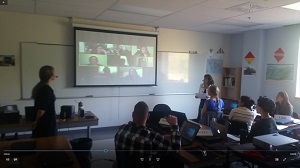
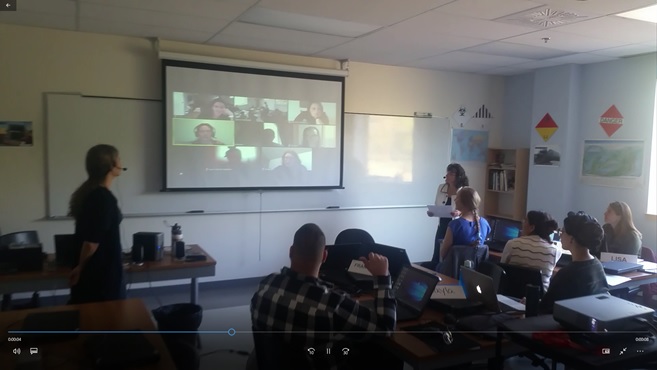
Screenshot blending on-campus and distance students using zoom. There may be times when distance students will be able to meet fellow on-campus students through our hybrid learning classroom.
- How to Annotation your Screen as a Viewer (Attendee)
- Please Wait For The Host To Start This Meeting / Webinar
Resources, Troubleshooting and Learning More…
- Zoom Keyboard Shortcuts (PDF)
- System Requirements For PC, Mac, And Linux
- Zoom Computer Conferencing Help Centre
Content Source: Zoom Help Center