
Zoom Breakout Rooms
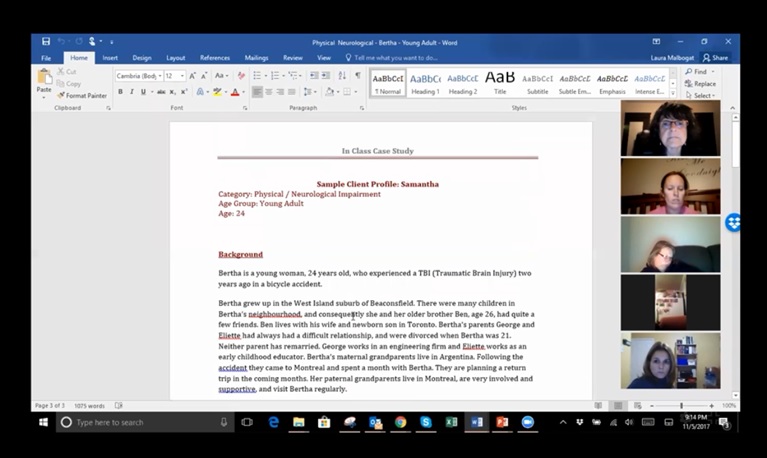
Screenshot of a Zoom class reviewing a paper
- What are Zoom Breakout Rooms?
- How to use Zoom Breakout Rooms?
- Creating Breakout Rooms
- Participating in Breakout Rooms
- Managing Breakout Rooms
- Resources & Troubleshooting
What are Zoom Breakout Rooms?
Breakout Rooms allow you to split your meeting into ‘meeting rooms’.
The host who is managing the meeting can choose to either split the participants of the meeting into separate meeting rooms automatically or manually. There are times the ‘host’ knows that the participants need to be placed into specific groups, whereas for other meetings, participants can be grouped randomly. The host has the capacity to join the ‘breakout rooms’ at any time.
As the host, you can alert your participants that there is two minutes left before they are automatically ‘brought back’ to the whole group session.
View: Overview of Zoom Video Breakout Rooms
Learn how to use and manage Zoom Video Breakout Rooms. Video breakout rooms are most commonly used in education, training or workshop environments and are a great tool for any Zoom Meetings user that wishes to split their main meeting into sub-meetings for discussion, projects or activities. Zoom Video Breakout Rooms are available to any Zoom Basic or Pro Meeting accounts.
View: All About Zoom Video Breakout Rooms
Automatically or manually assign participants to up to 50 video breakout rooms. Participants can call on the host for help, while the host can move from room to room. Perfect for training and educational use cases.
How to use Zoom Breakout Rooms?
Zoom Breakout Rooms can be very effective in a distance class or training to further a discussion between members of the class.
- Learn more about Zoom Video Breakout Rooms – Video Breakout Rooms allow the Zoom meeting host to create smaller groups within a larger meeting or training session.
Creating Breakout Rooms
- Getting Started With Breakout Rooms – Includes: Enabling Breakout Rooms on your account, on a specific group and as an end-user.
Participating in Breakout Rooms
- Participating In Breakout Rooms – Breakout rooms are sessions that are split off from the main Zoom meeting. They allow the participants to meet in smaller groups. Breakout rooms can be used for collaboration and discussion of the meeting.
Managing Breakout Rooms
- Managing Video Breakout Rooms – You can learn how to access and use zoom in the following step by step article outlining the process. Includes: Required prerequisites and Creating video breakout rooms, Assigning Participants to Rooms, Preparing Breakout Rooms and Managing Breakout Rooms in progress.
View: Managing Breakout Rooms or Sessions in Your Video Meeting
How to manage your zoom meeting breakout rooms or session in meeting from your application. Make your video meetings or conferences more collaborative with these functions so individuals can go and discuss subject matter together while the main meeting continue their main discussion.
Resources & Troubleshooting
Content Source: Zoom Help Center