
Welcome to the Teaching,Training & Technology Portal
This resource is designed to provide instructors in the Continuing Education department at Champlain College the opportunity to train and learn more about teaching and learning as well as asynchronous and synchronous online technologies. Review the tutorial information and resources on the right and discover how teaching techniques, learning strategies and computer technology can support classroom teaching.
It is hoped that this information will open a conversation between continuing education teachers. A conversation based current best practices and focused on improving the quality of student learning. We suggest that you talk about the ideas and the teaching-learning strategies introduced here with each other and with your pedagogy counselors.
So check out the Teaching & Learning section which covers developing learning objectives to creating effective assessments, along with the technology sections on D2L Brightspace and Zoom computer conferencing.
What is Asynchronous Learning?
Asynchronous Online Learning: Technology to Support Classroom Teaching

Screenshot of a discussion question using D2L’s Brightspace Learning Management System
With Asynchronous online learning students have access to their instructional materials 24 / 7. This type of learning can be facilitated through a website or a learning management system like D2L’s Brightspace, LEA, Moodle or Canvas.
All learning management systems have similar features such as Customizable design, Communication tools: Discussions, chat, news; Assessment tools: Quizzes, surveys, grades; Site resources: Content development, calendar, glossary; and Learner management: Tracking learner and class progress.
With this type of online system content and other learning materials are generally integrated well before class start date.
Check out the D2L Brightspace Tutorial on the right hand menu.
View: How to Access and Navigate D2L Brightspace - An Overview of Asynchronous Online Learning
Watch Champlain College instructor Suzanne Wassef demonstrate and explain how to access and navigate the Champlain College Accounting RAC course materials on D2L Brightspace.
What is Synchronous Learning?
Synchronous Online Learning: Technology to Support Distance Learning
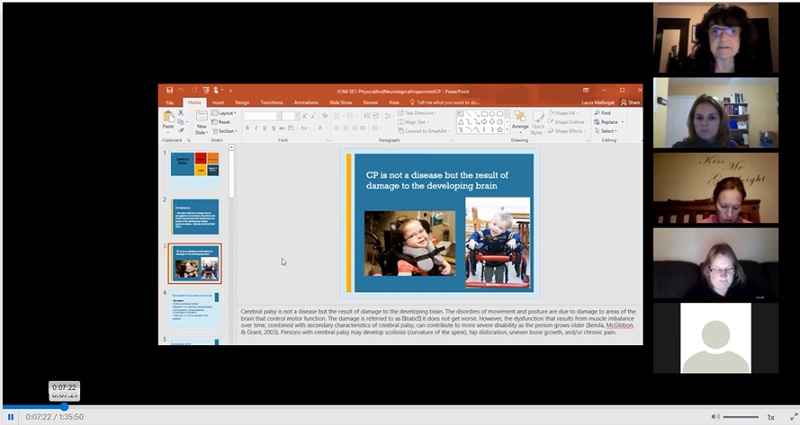
Screenshot of an online synchronous distance class using zoom computer conferencing
Unlike asynchronous technologies with synchronous online learning students are engaged at a designated time according to a specific schedule. Online technologies that facilitate this are computer conferencing tools such as Zoom and Adobe connect.
Generally, all real time chat and computer/video conferencing tools can be described as a virtual classroom creating an environment where student(s) and teacher can directly interact. This type of technology does allow instructors to record so students can review what was covered in the live session at a later date.
Check out the Zoom Instructor Tutorial on the right hand menu
View: Synchronous (Hybrid) In-Class and Online Learning with Zoom
Watch this Special Care Counselling class combining in-class and distance students using Zoom.
Ask yourself – Which technology will suit the needs of my learners?
- View: Considerations for choosing technology for teaching
- Review: 5 Factors to Consider When Selecting Classroom Technology
Want to learn more check out…
- Synchronous vs Asynchronous Learning (EducationDynamics)
- Asynchronous Vs. Synchronous E-Learning
- Glossary of Educational Terms – Oxford University Press
- Glossary of education-related terms – Wikipedia
to be added to expand menu above when video is available under synchronous –
Title – View: Synchronous Online Learning with Zoom
Text – Listen to Laura Malbogat, RAC Pedagogical Advisor and SCC Teaching Instructor at Champlain College, discuss how she is using Zoom computer conferencing and other technologies to reach out and support learners at a distance.Title – View: Asynchronous Online Learning with D2L’s Brightspace
Text – Listen to Suzanne Wassef, Transportation and Logistics instructor at Champlain College, discuss how she uses D2L’s Brightspace learning management system to support student learning in the classroom.